Preface: This is a bit oversimplified, but not by much. Things can get complicated with legacy communications modules, any "C" Blocks in the Logic at all, and IO modules without direct replacement. If it's just a simple, standalone rack, those situations usually don't apply.
Upgrading 90-30 -to-> RX3i
It can be as simple as just using a drop-down menu.
You’ll probably have to adjust the hardware that PME initially chooses during the conversion.
But in many cases, the Logic needs nothing & that’s the #1 goal.
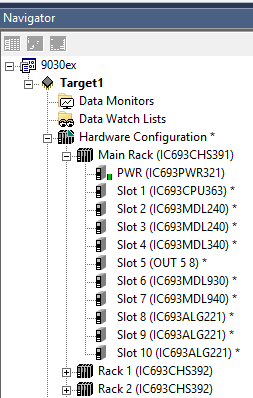
Here is my “Navigator” Window
At the top there is the project called 9030ex
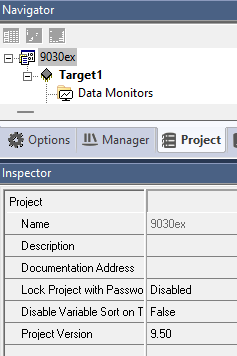
If I highlight the project name and look in the Inspector window, I can see it’s properties
Similarly, if I highlight the Target (right below the project), I can see its’s properties
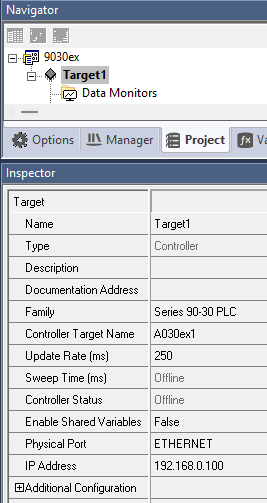
Notice the “Physical Port” can be serial (i.e. COM1, COM2, etc.) or Ethernet
If Ethernet, that is the IP address that PME uses to connect to it.
Ex.
If my laptop is 10.0.0.100
And my target is 192.168.0.100
They are not going to talk!
I need to change my laptop IP to 192.168.0.150
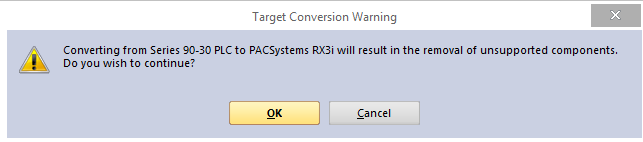
To convert from 90-30 to RX3i, you use the “Family” drop-down menu
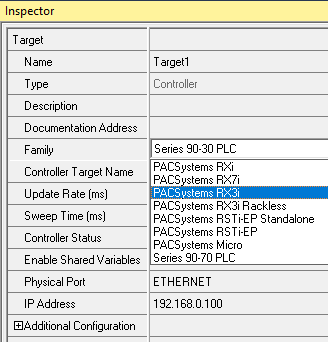
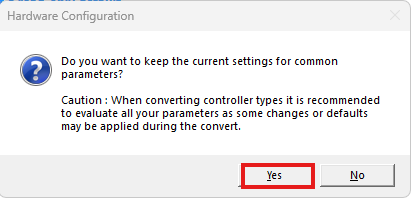
Then I get this popup
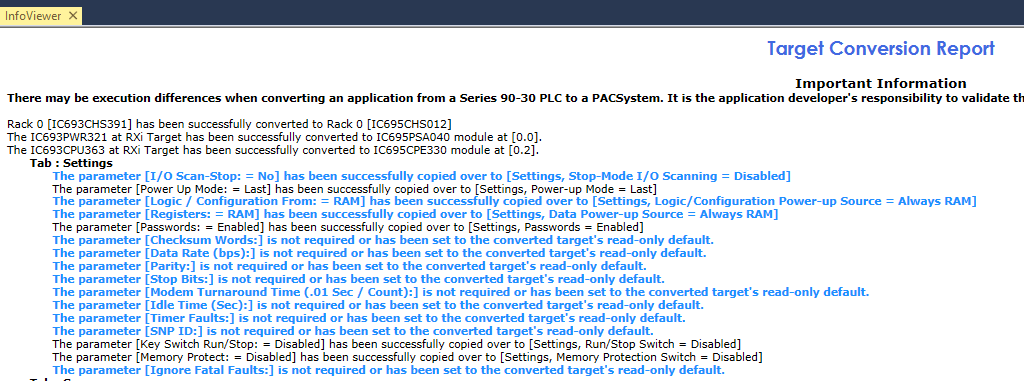
After a few seconds, I get this report
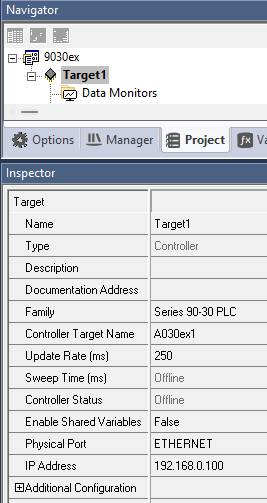
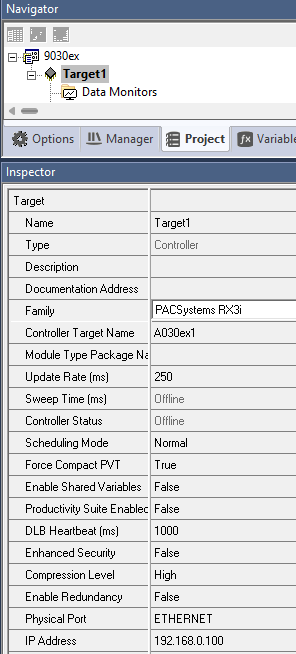
And this is what my Target properties look like before and after --
Here’s the hardware configuration before and after
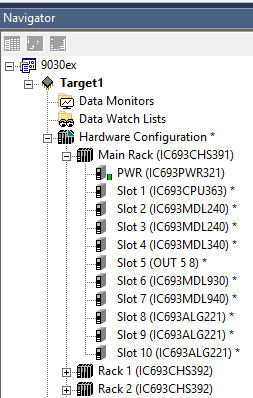
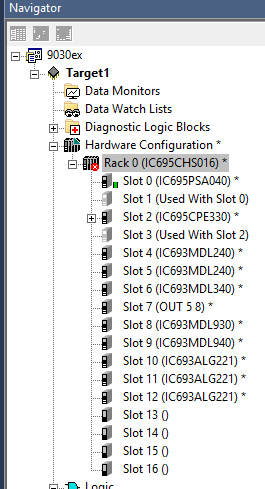
Let’s make some adjustments
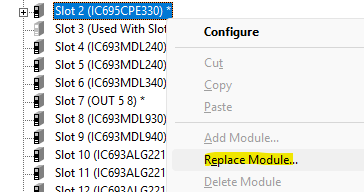
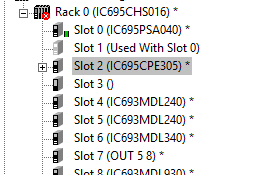
Now I have a free slot
I can just drag & drop my IO modules up a slot, one at a time
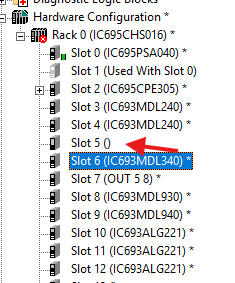
Now, I’ve got them all where they need to be to convert from 16-slot to 12-slot rack
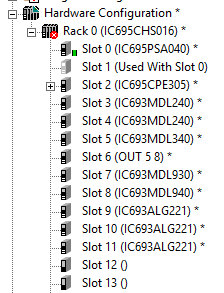
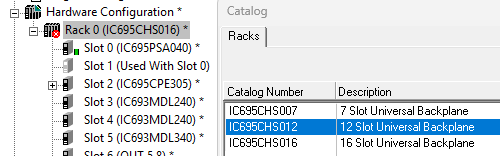
New before & after
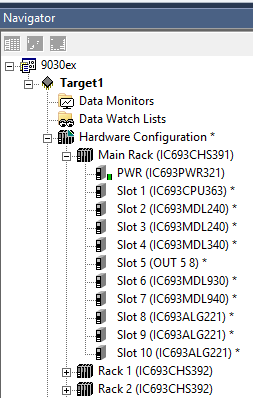
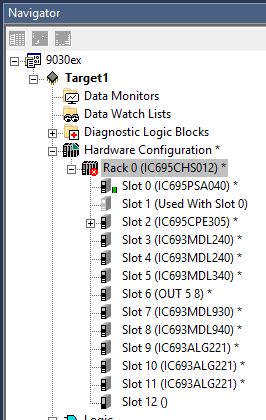
Note – On 12-slot rack, first slot is “0” last is “11”
Slot 12 isn’t an IO slot, but rather for expansion module
Last thing I’d want to do is upgrade all the IC693 IO modules to the new RX3i Part#
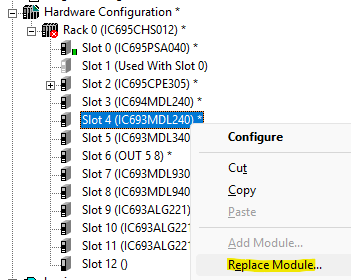
Before & After
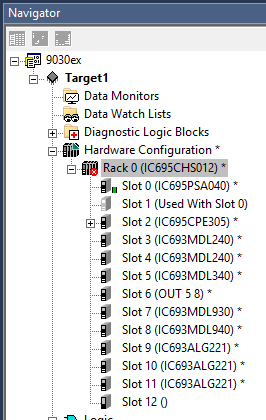
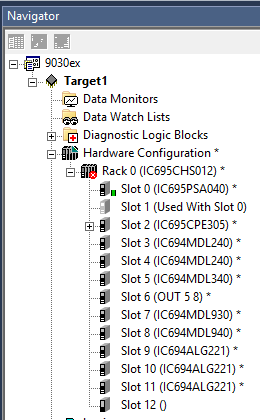
I’ve got a red X on my project, so let’s Validate & see what that’s about.
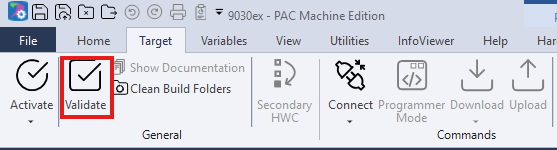
I can just double-click the error and it will point my screen to it

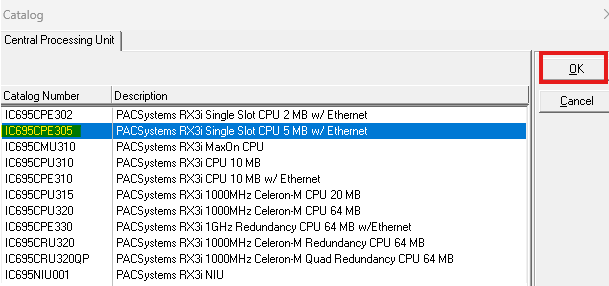
The new RX3i CPE305 has an Ethernet port that needs to be configured
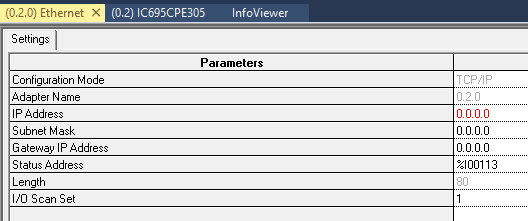
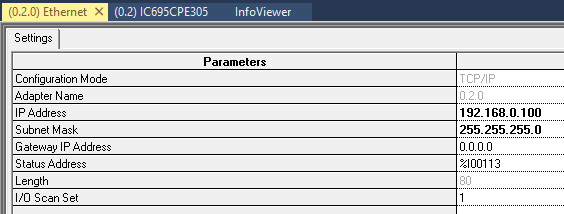
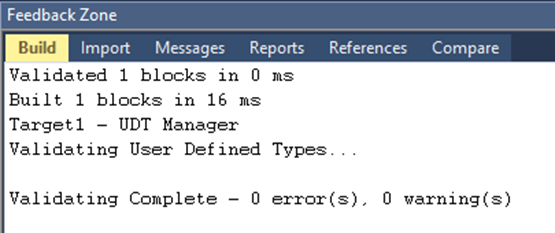
Validate again
Was this article helpful?
That’s Great!
Thank you for your feedback
Sorry! We couldn't be helpful
Thank you for your feedback
Feedback sent
We appreciate your effort and will try to fix the article