December 23, 2025
Kristian Ware
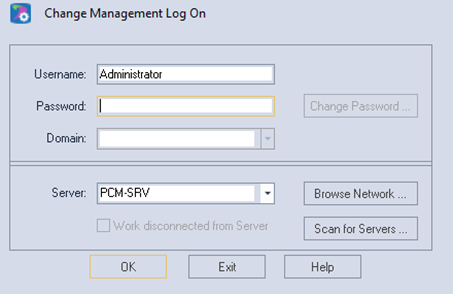
By default, Change Management wants to use the SVN service to authenticate users.
This is fine for applications with just a few users, but it is not dynamic and does not scale well.
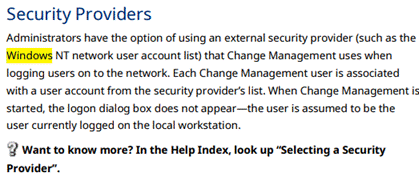
PAC Change Management manual GFK-1779 -
Mentions using Windows for user credentials instead of SVN but does not elaborate on the process.
This article will explain the process not covered in the manual.
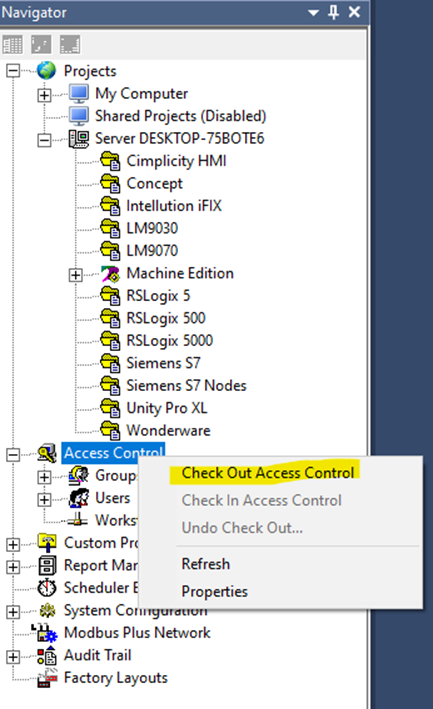
You first must "check out" the settings in order to make the changes.
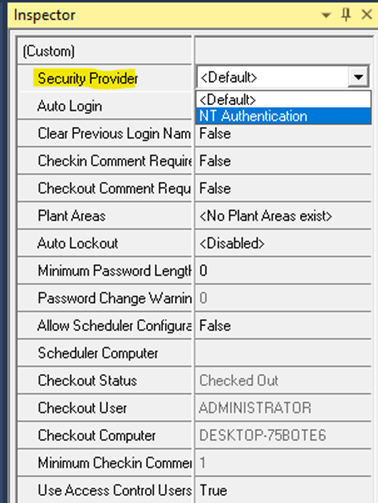
Then change the Security Provider to “NT Authentication”
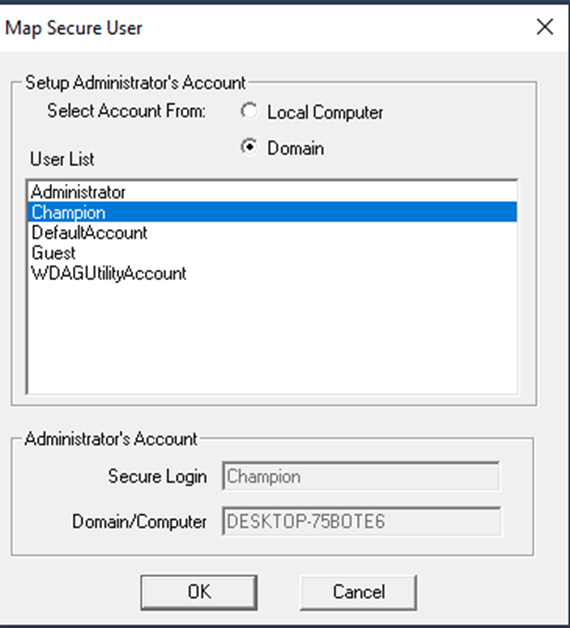
It’ll ask for a user account:
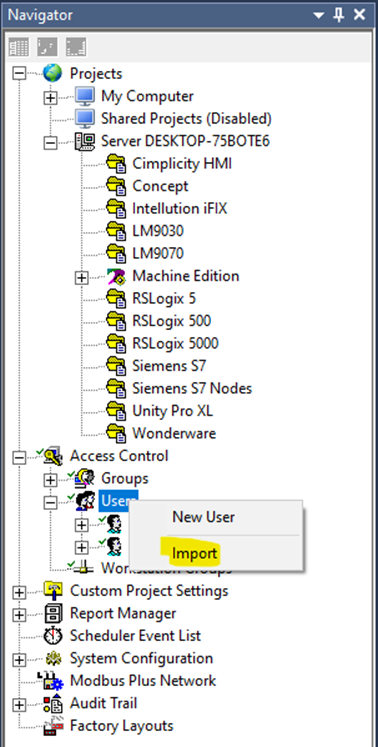
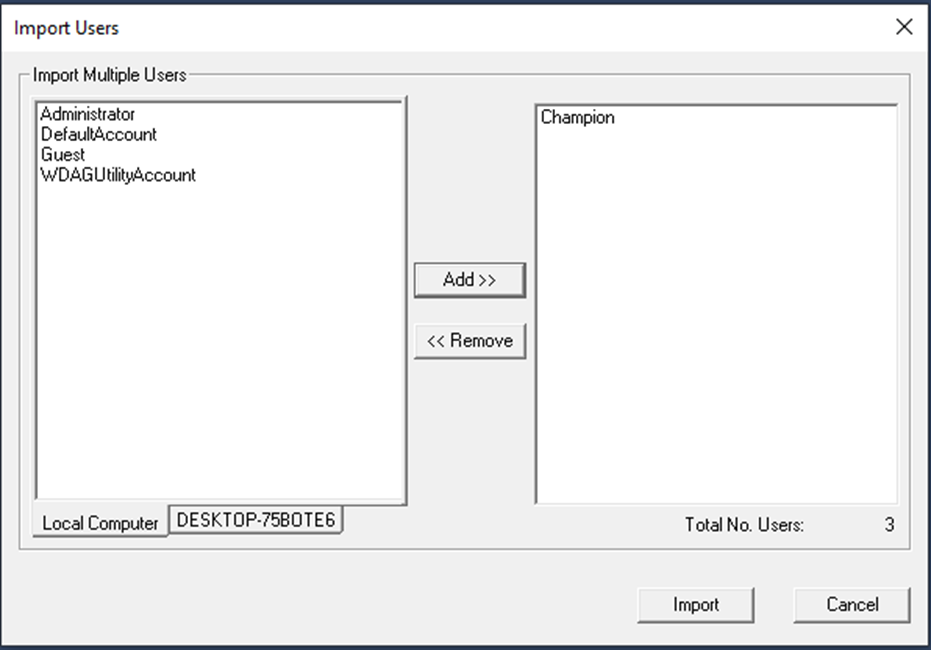
After that, you can import domain users:
Was this article helpful?
That’s Great!
Thank you for your feedback
Sorry! We couldn't be helpful
Thank you for your feedback
Feedback sent
We appreciate your effort and will try to fix the article